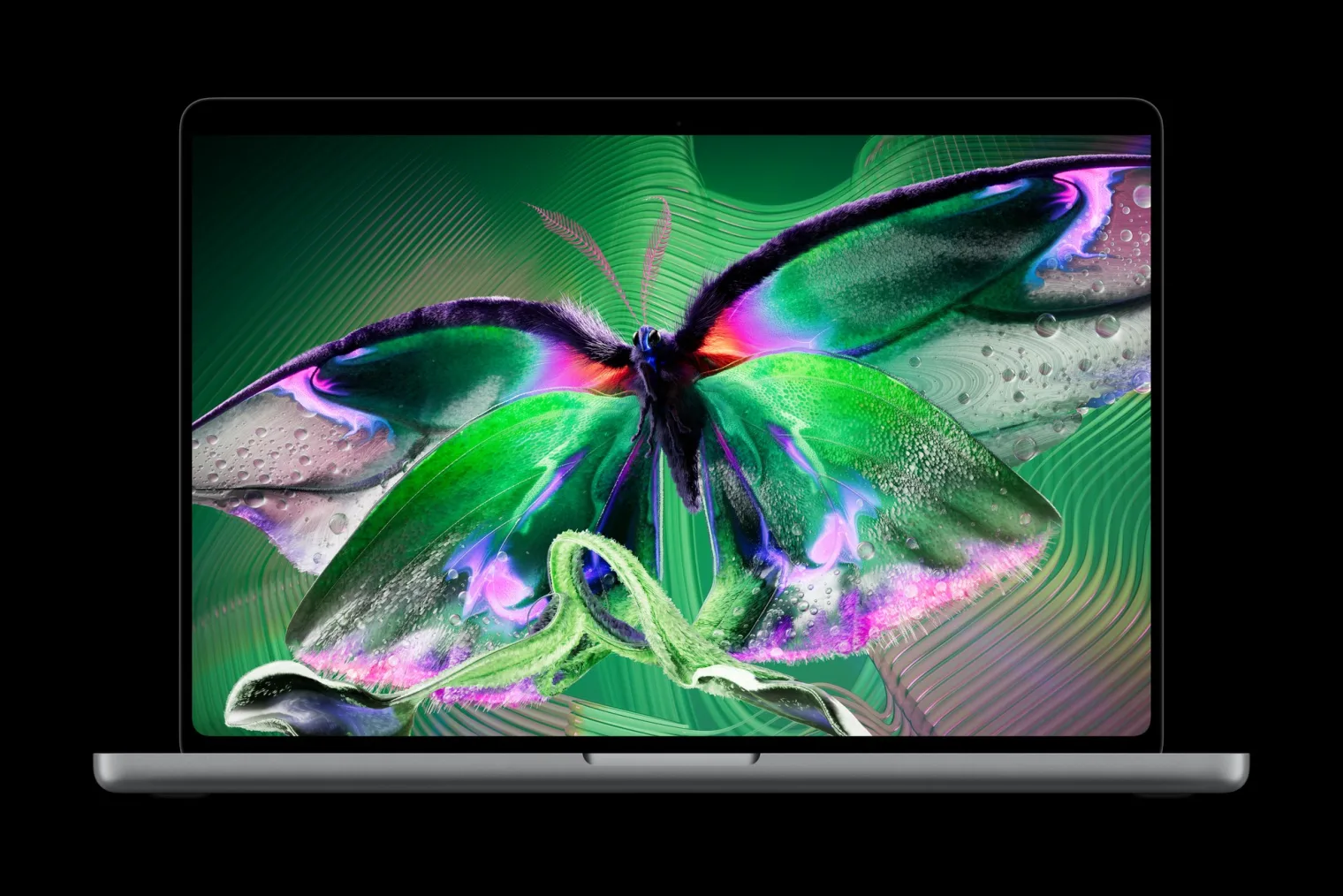
Apple announced the new MacBook Pro with PROLED XDR Display today, October 28. It is the first MacBook Pro that changes how you interact with the machine. It is not just about how fast it runs. The headline is twofold. First, a tandem OLED display Apple calls the world’s best laptop display. Second, Touch on a Mac for the first time. This is the machine for pro creators who work on the go. That includes photographers, video editors, colorists, 3D artists, and musicians.
The decision it poses is whether the display and Touch are worth stepping up. The step up is from the $1,999 14-inch MacBook Pro with M6. Apple announced that model yesterday. Pre-orders open today. It arrives Friday, November 6. Prices start at $2,899 for the 14-inch model with M5 Pro. I have not used this MacBook Pro yet. I cut video in DaVinci Resolve on the road. For me, the combination of a reference-grade display and a touchscreen timeline stopped me scrolling.
The display is the story
The new MacBook Pro debuts the PROLED XDR display. It uses tandem OLED technology. That means two self-illuminating pixel layers stacked together. There are innovations in every layer. A display engine controls the color and brightness of every pixel. It works at the sub-millisecond level. Up to 2000 nits of peak brightness applies to both HDR and SDR content. The contrast ratio is 10,000,000:1. The variable refresh rate is 120Hz through ProMotion. It drops as low as 10Hz to save power.
That contrast figure is ten times the 1,000,000:1 ratio on the Liquid Retina XDR display. That display is in the M6 MacBook Pro. The SDR brightness matters as much as the HDR peak. 2000 nits in normal use means the screen stays readable in bright rooms. It also stays readable on location, not just when playing HDR video. A new antireflective coating helps there too. The nano-texture option is now etched directly into the cover glass. That cuts glare further.
For color work, the display covers both P3 and Adobe RGB in a single default preset. It offers more than 80 percent Rec. 2020 coverage for HDR video editing and grading. Factory calibration aligns luminance, white point, and gamut to standard targets. Apple also added calibration tools and industry-standard reference modes. These include DICOM medical imaging modes for nondiagnostic review, research, and education. They also include genlock support for virtual productions and on-set work. A color matching feature keeps the display consistent when paired with an iPhone 18 Pro or Studio Display XDR. Put simply, this is the first MacBook Pro display you could plausibly grade a project on. You would not need to plug in an external reference monitor. For anyone who edits from hotel rooms and airport lounges, that changes the packing list.

Touch finally comes to the Mac
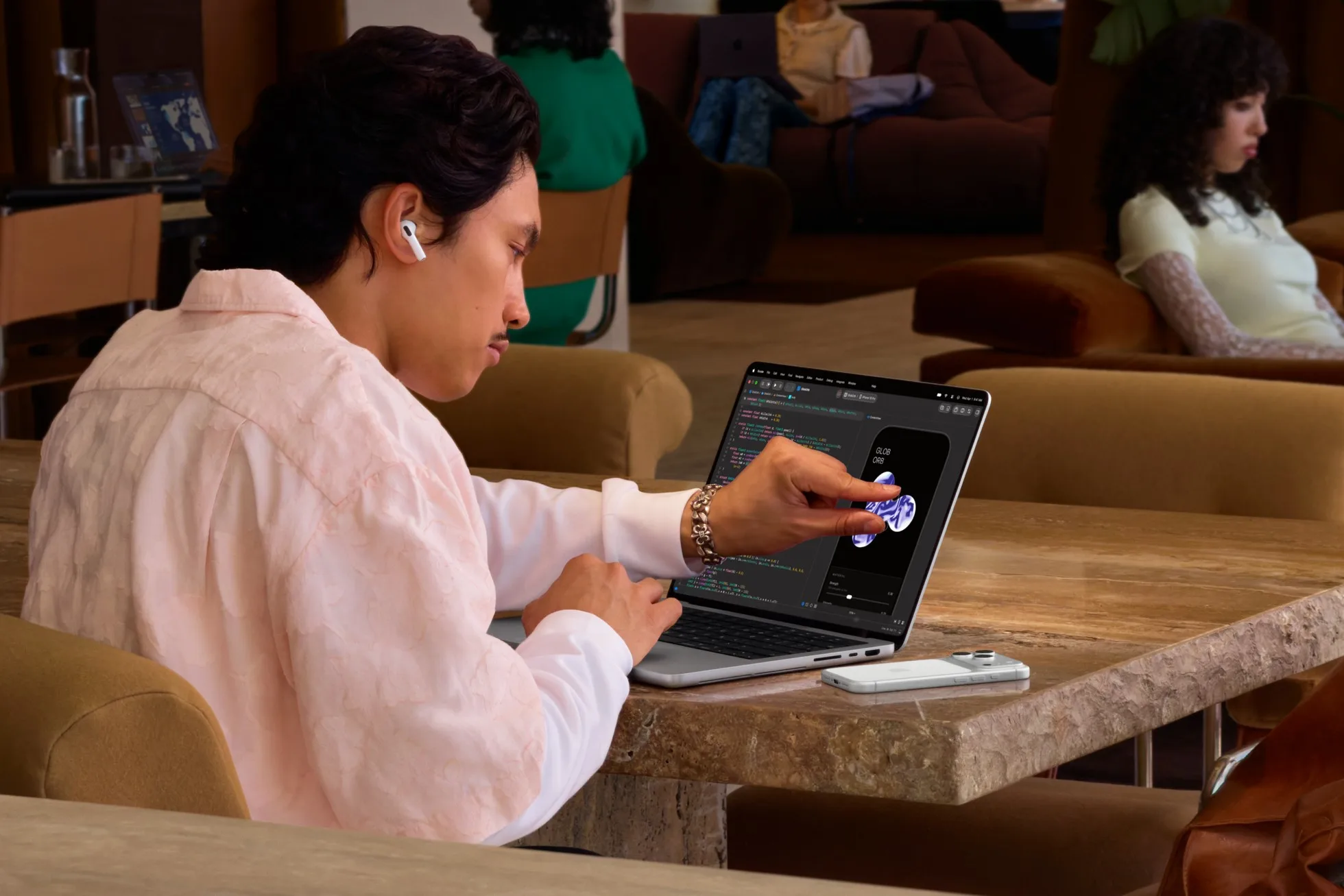
The MacBook Pro features Touch for the first time. Apple built it specifically for the Mac. It is not a tablet screen bolted onto a laptop. The touch sensor sits directly inside the display panel. It is not layered on top of it. That cuts latency, so it feels like touching the content itself. A redesigned hinge keeps the screen stable while you tap it. Video stabilization smooths the camera feed automatically when you use Touch on a video call.
Everyday gestures work the way you expect. Swipe to scroll a webpage. Pinch to zoom a photo. Drag slides between presentations. Double-tap a window to fill the screen. Or flick to tile it into place. The pro uses are where it gets interesting. Graphic designers can use the whole display as a canvas. They are not limited to the trackpad area when drawing. Musicians can play software instruments right onscreen. App developers can test how Touch behaves in their iOS and iPadOS apps. They can test directly on the MacBook Pro display.
In Apple’s own pro apps, Pixelmator Pro lets creators draw and paint directly on the canvas. Logic Pro offers a fully Multi-Touch polyphonic keyboard with tappable chord and drum pads. Final Cut Pro lets editors mark ranges and drop clips into place. It also lets them pinch to zoom a cut by hand. Most existing apps work with Touch right away. That is because macOS translates touches into clicks. Apple lists Notion, Canva, Zoom, Microsoft Word, Excel, PowerPoint, and Outlook as apps taking advantage of it. It also lists Lightroom, DaVinci Resolve, Blender, Cinema 4D, ZBrush, Shapr3D, and djay Pro. Touch works alongside the keyboard and trackpad, not instead of them. That is the right call for a pro machine. Nobody wants to give up keyboard shortcuts. But scrubbing a timeline with a finger is a different kind of fast.
Thinner, lighter, still pro
The new MacBook Pro is thinner and lighter in both sizes. That is notable because nothing about the performance got smaller. The 14-inch model now weighs 3 pounds. That is half a pound less than before. The 16-inch model weighs 4 pounds. That is 0.7 pounds lighter. The 16-inch is nearly a millimeter thinner. The 14-inch is half a millimeter thinner. Slimmer borders grow the actual displays to 14.2 inches and 16.3 inches. A redesigned thermal architecture keeps sustained performance up. It directs warm air away from the display.
Inside, M5 Pro and M5 Max power the lineup. Memory goes up to 128GB of unified memory. Storage is configurable up to 16TB. A Neural Accelerator built into each GPU core speeds AI workloads. One example is running a coding agent with an on-device LLM. A third-generation ray-tracing engine with Dynamic Caching drives faster renders. It works in Blender, Unreal Engine, and Cinema 4D with Redshift. Battery life holds at up to 24 hours. Fast charging reaches 50 percent in 30 minutes. Performance stays the same plugged in or on battery.
Connectivity moves to Thunderbolt 5 with three ports. It also includes HDMI, an SDXC card slot, MagSafe, and a headphone jack. M5 Pro supports up to three external displays. M5 Max supports four. Wi-Fi 7 and Bluetooth 6 arrive via Apple’s N1 wireless chip. Touch ID handles login. The 12MP Center Stage camera, studio-quality mics, and six-speaker system round it out. The speakers deserve a mention. An all-new woofer design delivers 50 percent deeper bass. Dedicated audio tuning for closed-lid use means the sound stays good. That applies when the MacBook Pro is shut and driving an external display. It all runs macOS 27. It includes Siri AI and Apple Intelligence features across apps. It also includes the Liquid Glass interface. The Dynamic Island now comes to Mac. It is the home for Spotlight, Live Activities, and Siri AI.
Who should buy it, and who should skip it
The comparison that matters is against the MacBook Pro Apple announced yesterday. The 14-inch MacBook Pro with M6 starts at $1,999. It offers up to 24 hours of battery. Its Liquid Retina XDR display reaches up to 1600 nits peak HDR. Its contrast ratio is 1,000,000:1. It includes Thunderbolt 4 and up to 32GB of memory. The 14-inch PROLED model starts at $2,899. That is $900 more. That $900 buys the tandem OLED display with ten times the contrast. It also buys higher SDR brightness and Touch. It buys Thunderbolt 5 and support for an extra external display. It also buys a far higher memory and storage ceiling.
If you grade color, edit video, or retouch photos on the laptop screen itself, that is money well spent. The display is the tool you stare at all day. If you mostly dock to an external monitor, the M6 machine covers you for much less. The same applies if your work is writing, spreadsheets, and video calls. The 16-inch PROLED model is the one for people who want the biggest canvas. It also offers the most headroom. The M5 Max configurations go up to $4,799. They are for 3D VFX artists, AI developers running large models on device, and film composers. They are not for email. One more honest note: Apple rates battery at up to 24 hours on both new MacBook Pros. So battery alone is not a reason to step up. The display and Touch are.
If portability matters more than pro power, the MacBook Air remains the lighter pick.
Price and availability
Pre-orders for the new MacBook Pro with PROLED XDR Display open today, October 28. They open in 30 countries including the U.S. It arrives in stores and to customers on Friday, November 6. The 14-inch model with M5 Pro starts at $2,899. Education pricing is $2,749. The 16-inch with M5 Pro starts at $3,399. Education pricing is $3,199. The M5 Max versions start at $4,499 for the 14-inch and $4,799 for the 16-inch. Education pricing is $4,199 for the 14-inch and $4,499 for the 16-inch.
With Apple Upgrade, eligible U.S. customers can lease from $55.99 per month for 36 months. Apple Trade In is also available. Apple Card monthly installments at 0 percent APR with 3 percent Daily Cash back are also available. AppleCare+ is also available. On the environment side, the machine uses 55 percent recycled content overall. That includes 100 percent recycled aluminum in the enclosure. It also includes 100 percent recycled cobalt in the battery. It also includes 100 percent recycled tantalum in multiple capacitors. That last point is a first for Apple. If your current laptop is an Intel machine, this is the MacBook Pro generation for you. The same applies to an early Apple silicon model. That is true if your work lives on the screen. This is the generation that changes what the screen itself can do.
Apple’s other new Mac this week, the iMac with M6, starts at $1,499.
Full specs and configure-to-order options are on Apple’s MacBook Pro page, and the announcement is on Apple’s newsroom.
Questions People Ask About the MacBook Pro with PROLED XDR Display
How is PROLED XDR different from the Liquid Retina XDR display?
Liquid Retina XDR uses a mini-LED backlight behind an LCD panel. PROLED XDR stacks two self-illuminating OLED pixel layers. So each pixel makes its own light. That removes the backlight entirely. That is why there is no blooming or halos around bright objects on dark backgrounds. It is also why contrast jumps to 10,000,000:1. 2000 nits are available in SDR as well as HDR.
Does Touch work with the apps I already use?
Yes, for most apps on day one. That is because macOS automatically translates touches into clicks. So existing software responds to taps, swipes, and pinches without an update. Apps built for Touch go further. Final Cut Pro, Logic Pro, and Pixelmator Pro add direct on-canvas interaction. Updated gesture APIs let developers build Touch-native experiences over time.
Is the 14-inch PROLED MacBook Pro worth $900 more than the M6 MacBook Pro?
It depends on where your work happens. If you edit, grade, or retouch on the laptop screen itself, the step up is justified. The step up is from $1,999 to $2,899. It is justified by the tandem OLED display and Touch. It is also justified by Thunderbolt 5 and a higher memory and storage ceiling. If you dock to an external monitor, the M6 model gives you the same 24-hour battery. The same applies if your work is mostly writing and calls. It also gives you macOS 27 for much less.


