


5 minute read
I’ll be honest — I didn’t expect a drawing tablet to make me rethink my whole desk setup. But after spending time with the XP-Pen Artist Pro 27 Gen 2, I found myself rearranging things around it rather than squeezing it in somewhere. That’s usually a sign you’ve got something worth keeping.
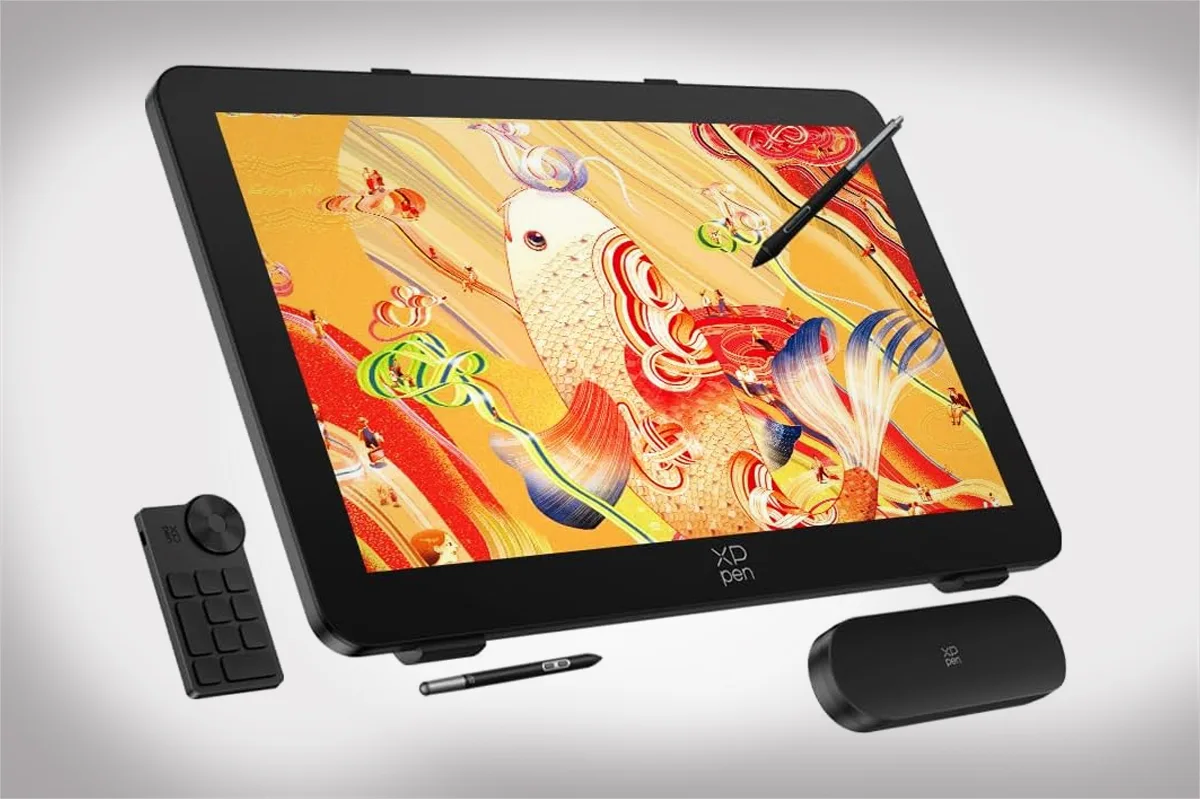
This is XP-Pen’s biggest pen display to date, and it shows. At 26.9 inches with a 4K panel, it doesn’t arrive quietly.
What You’re Actually Getting
The Artist Pro 27 Gen 2 launched on March 20, 2026, priced at $1,899. That positions it squarely against Wacom’s Cintiq Pro territory, but at a price that undercuts the competition by a meaningful margin.
The display runs at 3840 x 2160 with a 120Hz refresh rate, supports 1.07 billion colors, and ships with dual X3 Pro styli, touch controls, and an adjustable stand included. That’s a complete package out of the box, and the stand alone saves you from the usual third-party hunting.
The screen itself is the main event. XP-Pen claims 99% Adobe RGB and sRGB coverage plus 97% DCI-P3, with color accuracy at Delta E under 1. Whether those numbers hold up in daily use depends on calibration, but in practice, colors read as clean and consistent. The factory includes a color calibration report in the box for anyone who needs to verify it.
The Drawing Experience
Here’s where it gets interesting. The package includes two X3 Pro styluses, both rated at 16,384 pressure levels with 60 degrees of tilt support. One uses a silicone grip sleeve for longer sessions, the other is slimmer with removable keys to cut down on accidental button presses.
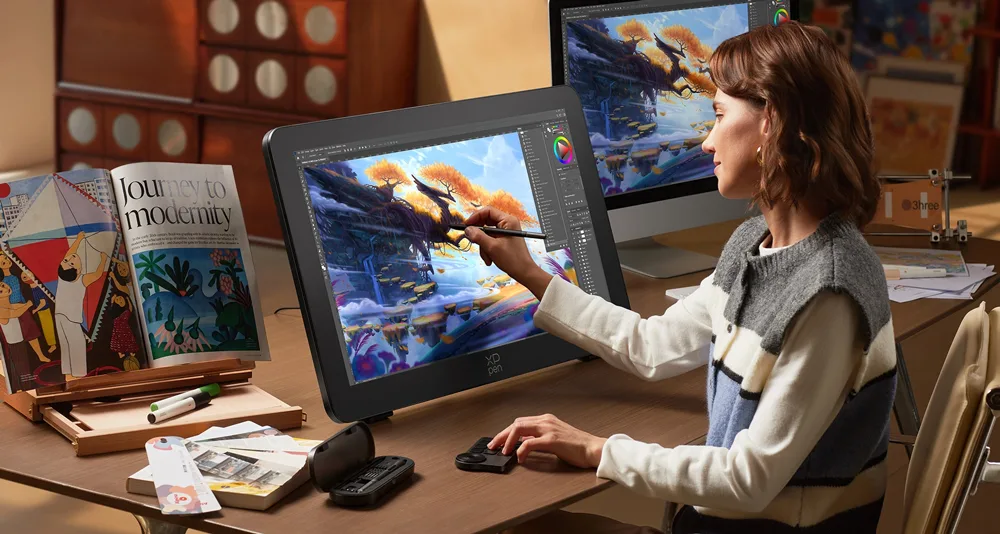
I spend a lot of time in front of screens, and the detail that matters most isn’t always the one with the biggest number attached. The paper-like etched glass surface here is genuinely good. XP-Pen calls it Super AG etched glass, and it gives the stylus a friction that feels closer to actual paper than most pen displays I’ve tried. That matters more than it sounds, especially over a long session.
The fanless design keeps things completely quiet, which makes a real difference when you’re trying to stay focused for hours. Fans on desktop gear are one of those low-level irritations you don’t notice until they’re gone.
The 120Hz refresh rate shows up in ways you feel before you consciously register them. Strokes don’t trail, and the display keeps up with fast movements without any lag you’d notice on the canvas.
Touch That Actually Thinks
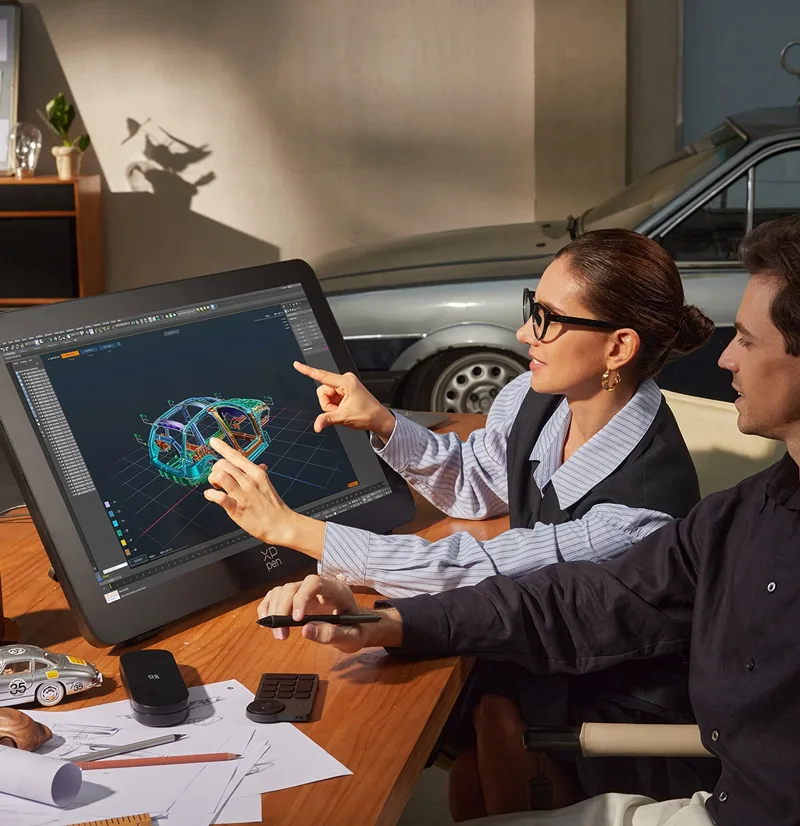
Ten-finger multitouch on a pen display is either your favorite feature or your most annoying one, depending on how it handles palm rejection. Palm rejection works cleanly when apps use pen-only mode, and XP-Pen’s driver lets you enable, limit, or disable touch in specific areas of the display. That’s the right call. A 27-inch surface with unchecked touch and no palm rejection is chaos. Having granular control over it makes the whole system livable.
The stand adjusts from 10 to 72 degrees with a handle near the top, and rubber feet keep it from sliding when you shift position. I appreciate this kind of functional detail. Desk real estate matters, and being able to dial in the angle without fighting the hardware is a small thing that saves time every single day.
The Software Side
Setup is mostly painless. XP-Pen supports Windows, macOS, and Linux, and the driver handles pressure curves, floating menus, work area adjustments, and per-application profiles. The shortcut remote that ships in the box adds 10 programmable buttons, with four key groups available for a total of 36 custom shortcuts.
Where the software doesn’t quite match up: Wacom’s driver ecosystem is still deeper when it comes to granular settings and app-specific configurations. For most users this won’t be a sticking point. But if you’ve spent years tuning Wacom’s driver to work exactly a certain way, there’s an adjustment period here.
Who This Is For
The Artist Pro 27 Gen 2 is a dedicated work surface. At roughly 7 kilograms, it’s not something you’re picking up and moving between rooms regularly, but that weight comes with sturdiness that smaller displays can’t match. Once it’s placed, it stays put.
The display supports mainstream creative applications: Photoshop, Illustrator, Clip Studio Paint, Blender, GIMP, Krita, and more. If any of those are your daily tools, the compatibility is solid.
If you’re a photographer who also does retouching work, a video editor who benefits from more on-screen canvas, or a digital illustrator who’s been eyeing a display upgrade without wanting to spend Wacom money, this hits the brief. It’s also one of the few tablets that actually justifies its own footprint. That extra 27 inches of canvas isn’t just a flex; it changes how you interact with your work.
The Honest Take
Nothing at this price is without compromise. The driver software could be more polished, touch behavior is more consistent on Windows than macOS, and the size simply won’t work for small or cluttered desks. These are real considerations.
But the core experience — the display quality, the feel of the stylus, the color accuracy, and the overall build — delivers on what $1,899 should buy. XP-Pen has closed the gap on Wacom considerably here, and the price difference makes that comparison even more favorable.
For anyone who’s been watching the Cintiq Pro price tag with hesitation, the Artist Pro 27 Gen 2 is now the honest alternative worth taking seriously.